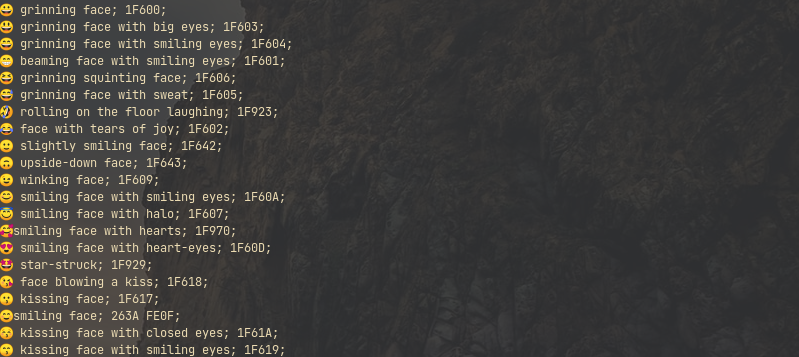
After struggling for quite a bit to get colored emojis on my dwm build, I have finally managed to do so.
Install libXft from ubuntu
sudo apt-get install libxft-dev
Install the patched libXft
Before patching it, we need some extra packages
sudo apt-get install dh-autoreconf autotools-dev xutils-dev
In order to do this step, we clone this repo, and follow the instructions for our non-arch distributions. In my case, I used --prefix=/usr/local, but both should work.
# instructions from linked repo
git clone https://github.com/uditkarode/libxft-bgra
cd libxft-bgra
sh autogen.sh --sysconfdir=/etc --prefix=/usr --mandir=/usr/share/man
sudo make install
Using patched libXft
In my case, I needed the patched library to support emojis both for my suckless terminal (st) and my dwm status bar. It is very important to make sure that the patched lib is used rather than the one from your distribution. That being said, lets assume you want to support emojis on st. You could use Luke Smith’s build, which is the one I currently use, with just changes in the font. You just do the following:
git clone https://github.com/LukeSmithxyz/st
cd st
export LD_LIBRARY_PATH=$LD_LIBRARY_PATH:/usr/local/lib
sudo make clean install
The problem is, you will need to export the libraries each single time, so instead you could add it to your makefile configurations. Edit with your favorite editor the file config.mk and add the following line -Wl, rpath=/usr/local/lib to LIBS, and the file should look like below. This should ensure that everytime the binary is executed, it uses your patched libXft found in /usr/local/lib
LIBS = -L$(X11LIB) -lm -lrt -lX11 -lutil -lXft -lXrender \
       -Wl,-rpath=/usr/local/lib \ # needed for libXft patch installed in usr/local/lib
       `$(PKG_CONFIG) --libs fontconfig` \
       `$(PKG_CONFIG) --libs freetype2` \
       `$(PKG_CONFIG) --libs harfbuzz` \
I am not an expert in MakeFile, but this is what worked for me, so if anyone has a suggestion to do this better, please let me know. Once you make that change, you can proceed again with sudo make clean install.
In order to check that st is using the patched lib, run the following command:
ldd /usr/local/bin/st | grep -i Xft
#libXft.so.2 => /usr/local/lib/libXft.so.2`
libXft.so.2 is the one installed by ubuntu, however after installing the patch it was symlinked as shown below
lrwxrwxrwx 1 root root 15 Aug 7 15:58 /usr/local/lib/libXft.so.2 -> libXft.so.2.3.3
End result: